
Getting started
bbtex adds a set of LaTeX — commands to BBEdit's Scripts menu, all backed by one small bbtex binary. This page gets you from nothing to a compiled PDF in about ten minutes, most of it spent waiting for MacTeX to download.
TIP
Current release: v0.2.0. It's early, and it's totally vibe coded. It works well on my Mac; if it doesn't on yours, please open an issue.
Requirements
- An Apple Silicon Mac. Packages are built and tested on the macOS version of the Mac that ran the release checks; Intel builds are not verified.
- BBEdit.
- A TeX distribution: MacTeX or TinyTeX, which provide
latexmk,pdflatex,xelatexandlualatex. With Biber, use version 2.21 or later with a matching biblatex. - Skim for PDF viewing and SyncTeX.
Optional:
- Tectonic, if you prefer it to latexmk.
- Poppler's
pdftoppm(brew install poppler), for equation previews. - TexLab, for completion and Go to Definition in BBEdit.
Install
From a release package
- Download
bbtex-macos-arm64.bbpackage.zipfrom the Releases page and unzip it. - Double-click
bbtex.bbpackage. BBEdit installs it into~/Library/Application Support/BBEdit/Packages/. - Clear the download quarantine, or macOS blocks the unsigned binary with "Apple could not verify “bbtex” is free of malware". Quit BBEdit, then run
xattr -dr com.apple.quarantine ~/Library/Application\ Support/BBEdit/Packages/bbtex.bbpackage. - Run Scripts → LaTeX — Doctor to check the TeX tools, Skim and the package layout.
Starting from a brand-new Mac? The clean install walkthrough goes step by step, with a test document and uninstall instructions.
Preview on Save and the right-click Preview Selection service are optional installs; see equation previews.
From source
You need opam with OCaml 4.14 or later (CI builds with 5.4.1).
git clone https://github.com/LouLouLibs/bbtex.git
cd bbtex
opam install . --deps-only   # dune, uucp and uunf
scripts/install.sh
This builds the binary, links it to ~/.local/bin/bbtex, and links the scripts into BBEdit's Scripts folder. Install either the development scripts or the release package, not both, or the menu shows duplicates.
Set up BBEdit
Keyboard shortcuts
Assign shortcuts in BBEdit → Settings → Menus & Shortcuts, in the Scripts section:
| Script | Suggested shortcut |
|---|---|
| LaTeX — Compile | ⌘K |
| LaTeX — Forward Search | ⇧⌘J |
| LaTeX — Compile With… | ⇧⌘K |
| LaTeX — Clean | none |
Remove any existing binding for those keys first. You can also assign keys in Window → Palettes → Scripts.
Skim inverse search
In Skim → Settings → Sync:
| Field | Value |
|---|---|
| Preset | Custom |
| Command | /usr/local/bin/bbedit |
| Arguments | --line %line "%file" |
Now ⌘-click in Skim jumps back to the source line in BBEdit.
First build
- Open a
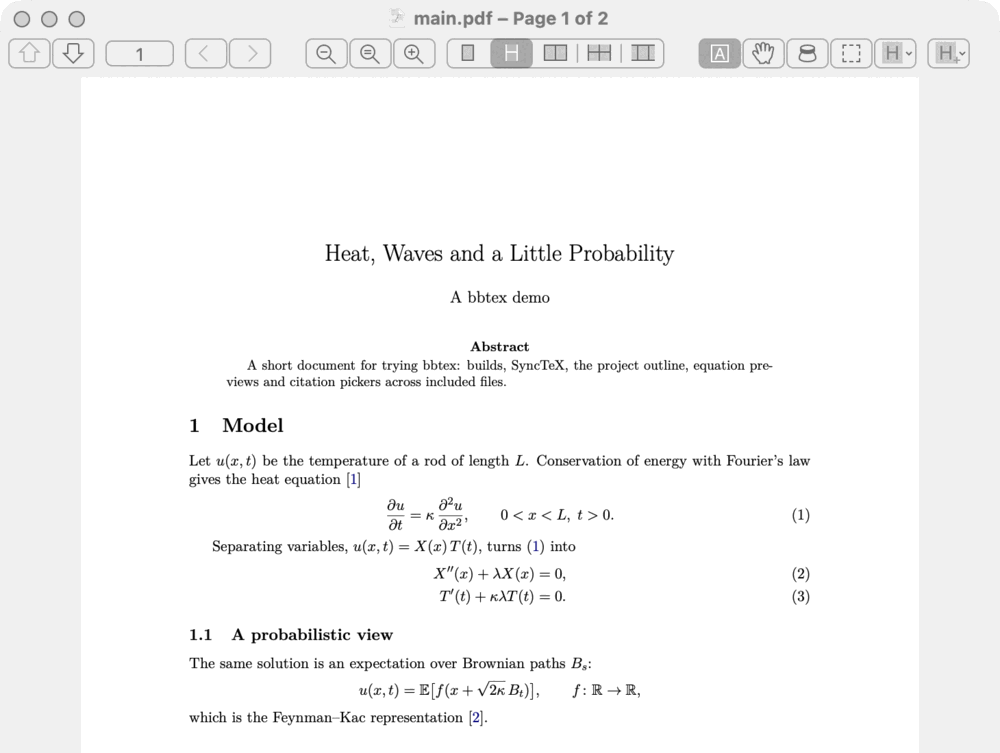
.texfile in BBEdit. - Press ⌘K. bbtex saves the document and any modified project inputs, compiles the root, and opens the PDF in Skim at the cursor.
- Errors appear in the LaTeX Results browser. Click one to reach its line, fix it, and press ⌘K again. A successful build closes old results without opening a window. Under errors it recognises, bbtex adds a short explanation starting with
[bbtex], such as "A command isn't defined: check for a typo, or a missing \usepackage." TeX's own message is never changed. - Press ⇧⌘J to show the cursor's position in the PDF.
- LaTeX — Show Build Results lists warnings and bad boxes without rebuilding; LaTeX — Open Build Log shows the full compiler output.
A silent notification reports the root, engine, duration and diagnostic counts.

Choose the engine and main file
Put TeXShop-style comments near the top of a file (bbtex reads the first 50 lines). These two choose the engine and the main file:
%!TEX program = xelatex
%!TEX root = ../main.texprogramispdflatex(the default),xelatex,lualatexortectonic. The first three run through latexmk, which handles passes and BibTeX/Biber; Tectonic runs directly.rootpoints an included chapter or table at the main document, relative to the file that contains it. Without it, bbtex builds the one document in the same folder or one folder up that includes the file, as in an Overleaf project, and says so in the notification (details).- LaTeXTools'
optionsandoutput_directory, TeXShop'sparameterand% !BIB TS-programare read too; see build settings in comments.
Rather than typing these, press ⇧⌘K and choose Configure Document…. The same Compile With… picker also runs a one-off build with another engine or a named profile. For settings shared across a project, such as the output directory, extra options and profiles, add a .bbtex file.
Next steps
- Compiling projects:
.bbtexsettings, profiles and cancellation. - Writing and editing: environments, clippings and TexLab.
- Project outline and citations and references.
- Equation previews: manual, on save, or live.
- Troubleshooting if Doctor reports a problem.